How to Bulk Onboard Rate Plans to Ctrip
Modified on: 2026-08-06 10:21
As part of our design update, the screenshots are currently being revised.
Overview
Bulk Rate Plan Onboarding enables you to onboard multiple group-level rate plans to the Ctrip channel across selected connected properties. Upon submission, an Excel data export is automatically emailed to the CSM for Ctrip's review. Once Ctrip confirms the details, an admin approves to finalize onboarding.
Instruction
Step 1: Select Properties
- Navigate to Multiproperty Module > Channel > Channel Property.
- Filter the property list by status: Connected.
- Select target properties.
Step 2: Select Rate Plans
- Click Onboard Rate Plan in the bulk action bar.
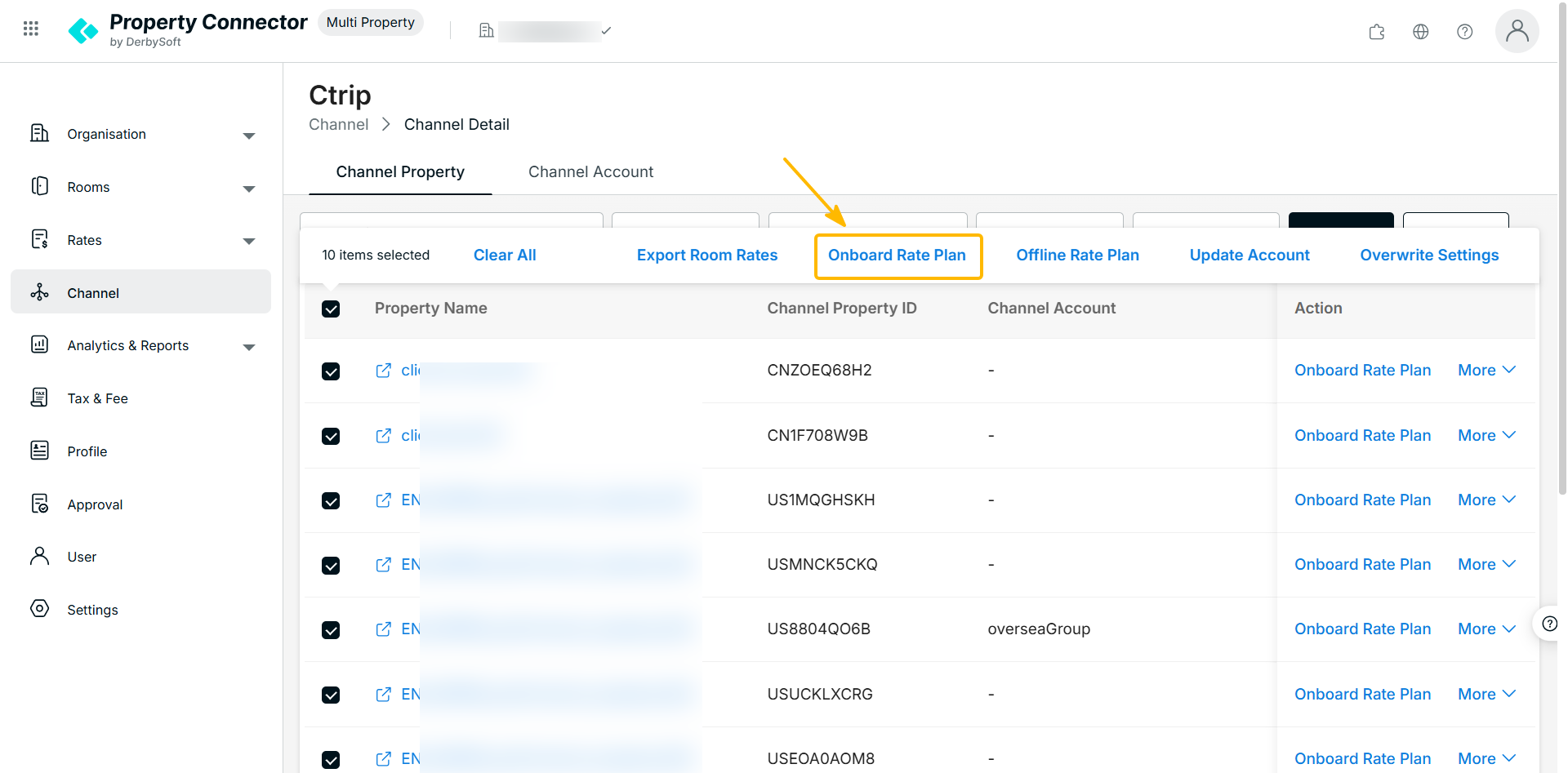
- In the modal panel, select one or more group-level rate plans.
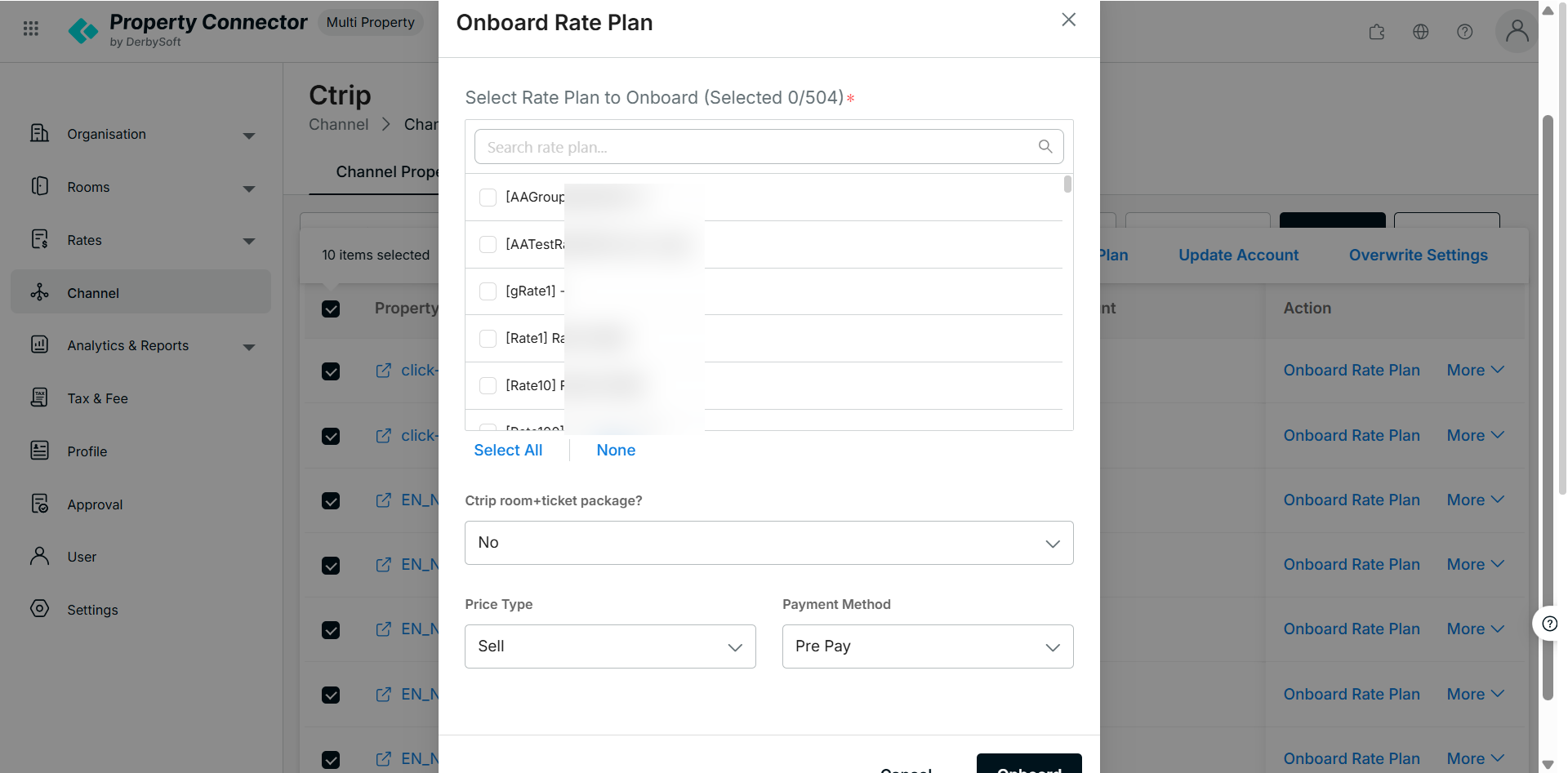
Step 3: Fill Required Ctrip Information
For each property and rate plan combination, complete the following Ctrip-specific parameters:
- Ctrip room +ticket package?
- Price Type
- Payment Method
Step 4: Submit & Post-Submission Workflow
- Review your selections and click Onboard.
- The system generates an Excel data dump and emails it to the CSM for Ctrip's review.
- Ctrip reviews and confirms the content.
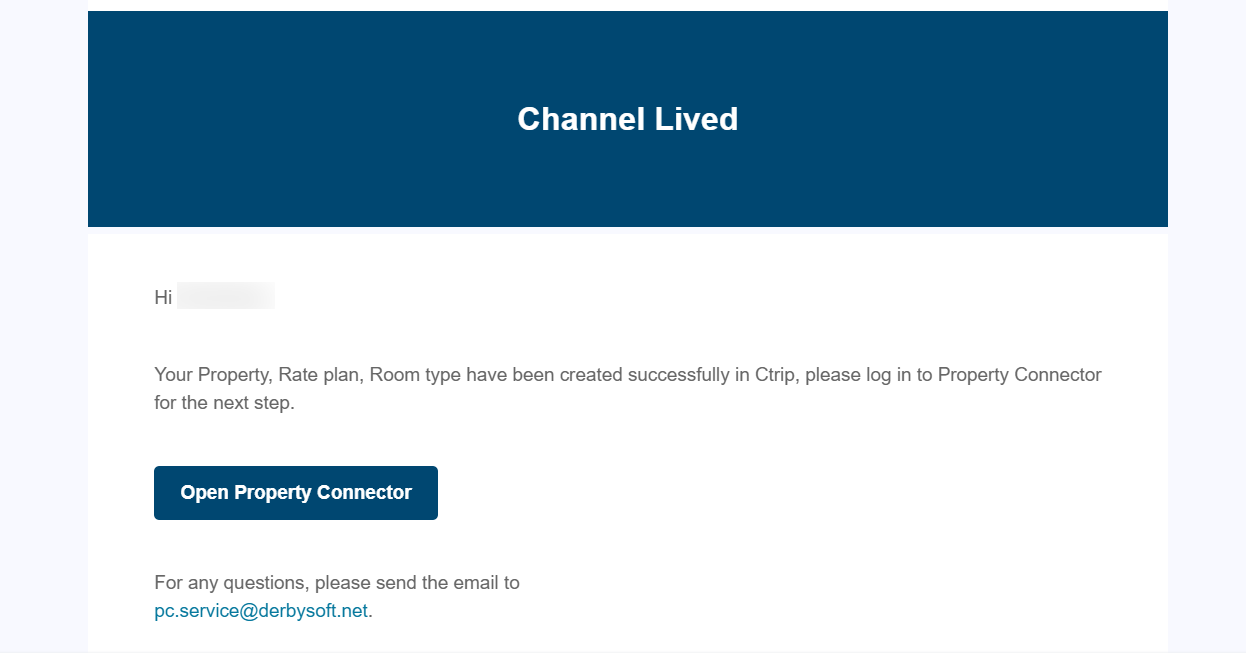
- Following Ctrip confirmation, admin will approve the action and you will receive approve email notification.
Did you find it helpful? Yes No
Send feedbackSorry we couldn't be helpful. Help us improve this article with your feedback.