How to Bulk Activate Properties on the Ctrip Channel
Modified on: 2026-08-06 10:21
As part of our design update, the screenshots are currently being revised.
Overview
Bulk Activation enables you to connect multiple properties to the Ctrip channel simultaneously within the Multiproperty portal. Submitting the request sets the properties to Pending Approval, where an administrator must approve the activation in the Admin Console to finalize the live connection.
Instructions
Step 1. Select Properties
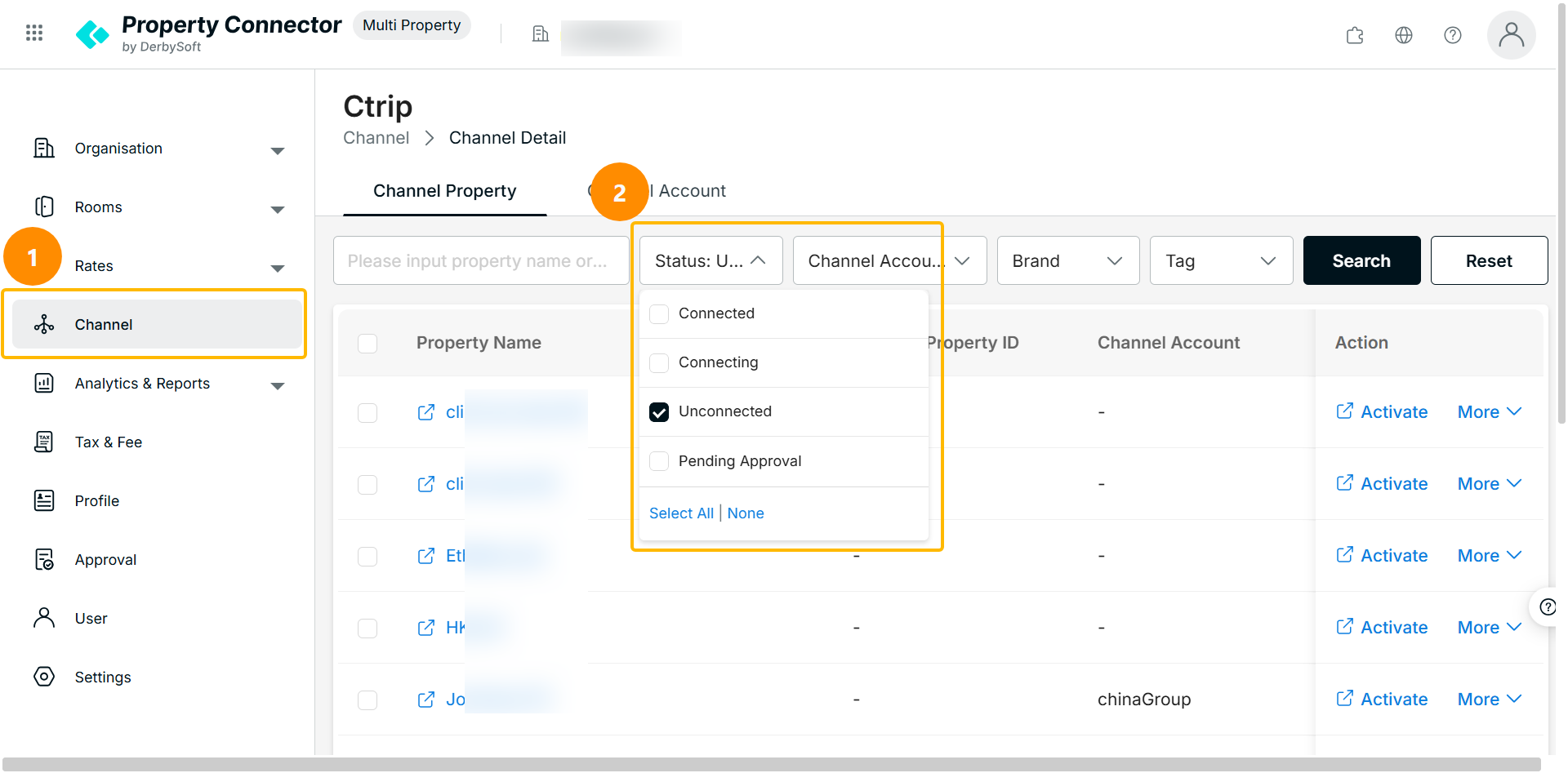
- Navigate to Multiproperty > Channel > Connected Channel.
- Filter the property list by status: Not Connected.
- Select target properties.
Step 2: Download and Fill the Template
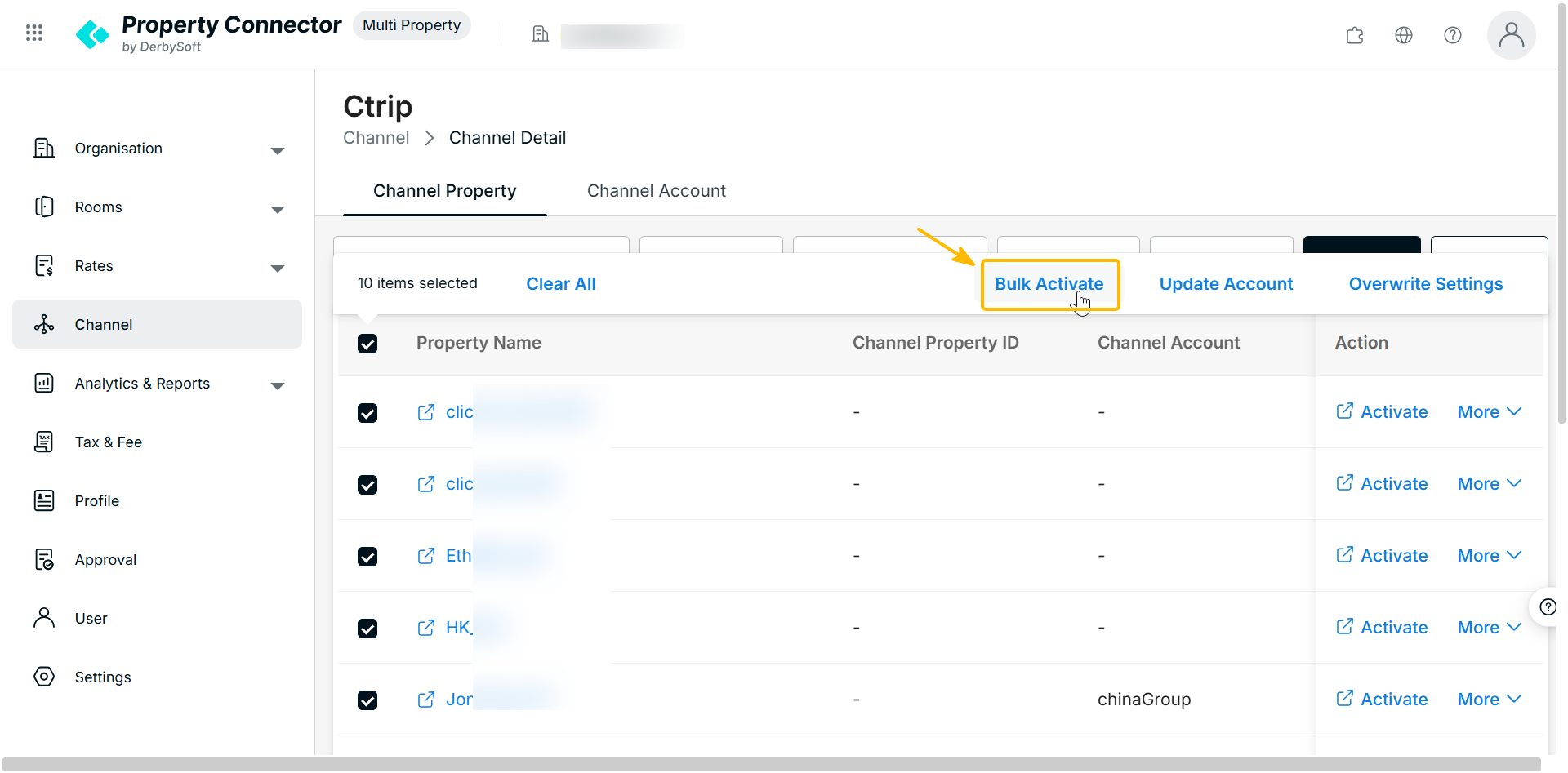
- Click Bulk Activate in the bulk action bar to launch the activation panel.
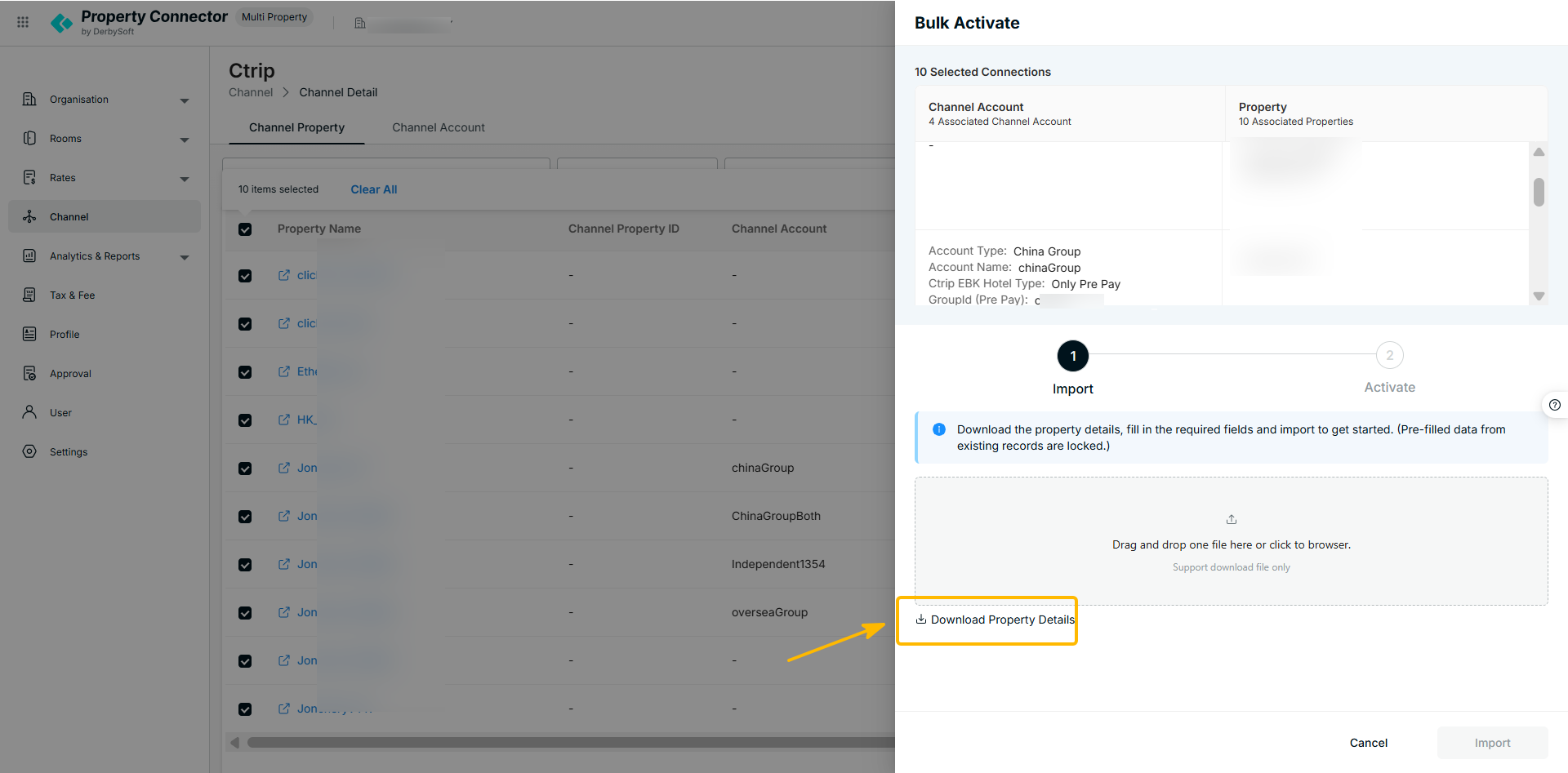
- Click Download Template to get the required spreadsheet.
- Fill in the Ctrip information and settings for each property.
Step 3: Upload and Validate
Upload the completed spreadsheet. The system automatically verifies the data against the required fileds.
Step 4: Submit & Approval Workflow
- Once validation passes, click Activate to submit.
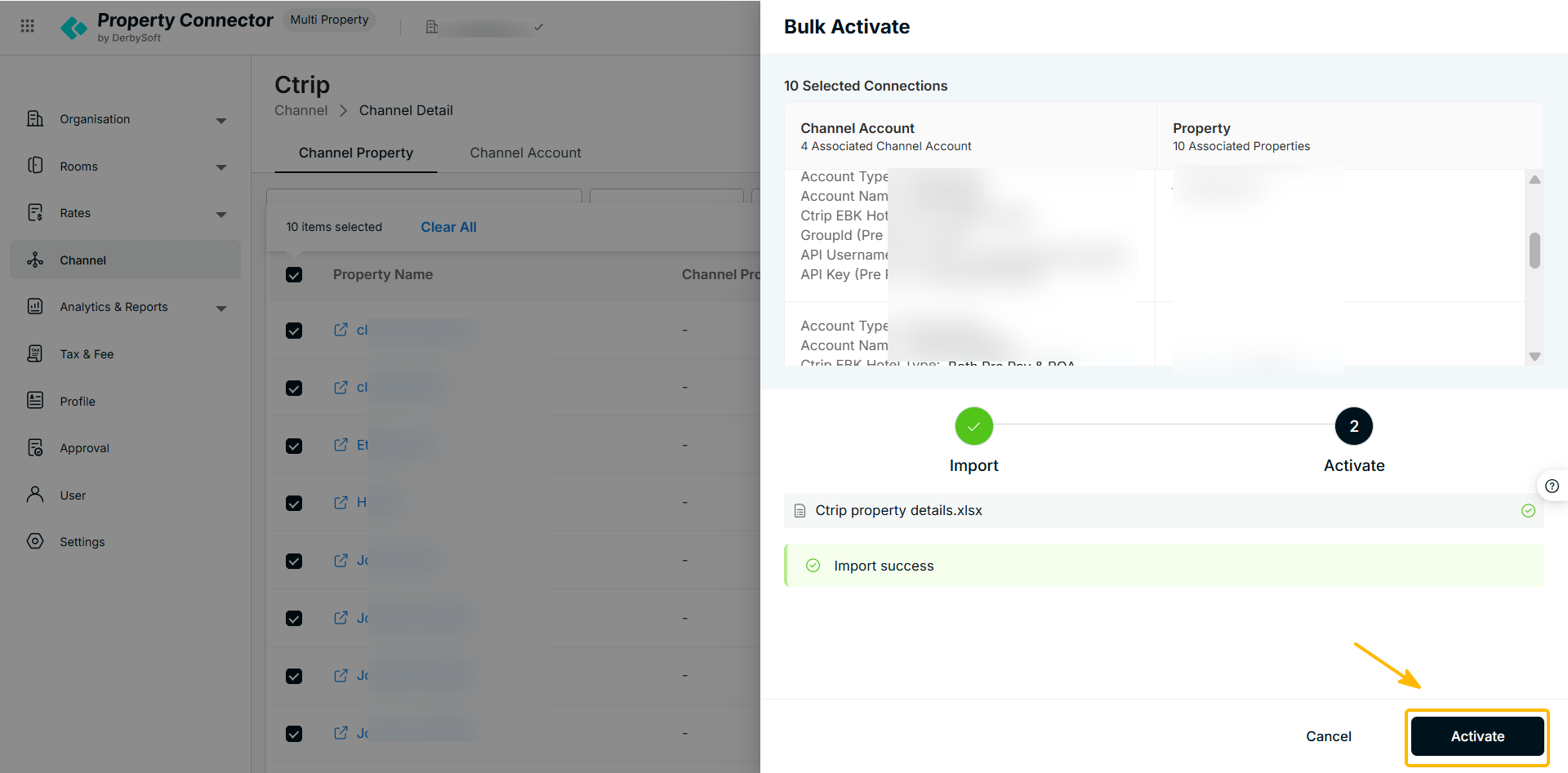
- Property status will update to Pending Approval.
- An administrator reviews and approves the request in the Admin Console.
- Upon approval, status changes to Connected, allowing you to onboard rate plans.
Did you find it helpful? Yes No
Send feedbackSorry we couldn't be helpful. Help us improve this article with your feedback.