How to Pass Original Channel Reservation Number to Opera Cloud PMS
Modified on: 2026-05-14 11:27
As part of our design update, the screenshots are currently being revised.
Introduction
This guide explains how to configure a toggle that controls whether the system transmits the original channel reservation number or the channel reservation number with an appended suffix to Opera Cloud.
This feature is particularly designed for split-booking scenarios, enabling the hotel front desk to easily identify split reservations via the External Reference Number and perform related subsequent operations.
Prerequisites
Your property is integrated with Property Connector via Opera Cloud Distribution API.
Instructions
Step 1: Access the Property Advanced Settings
- Navigate to the Property → General -> Advanced page in Single Property Portal.
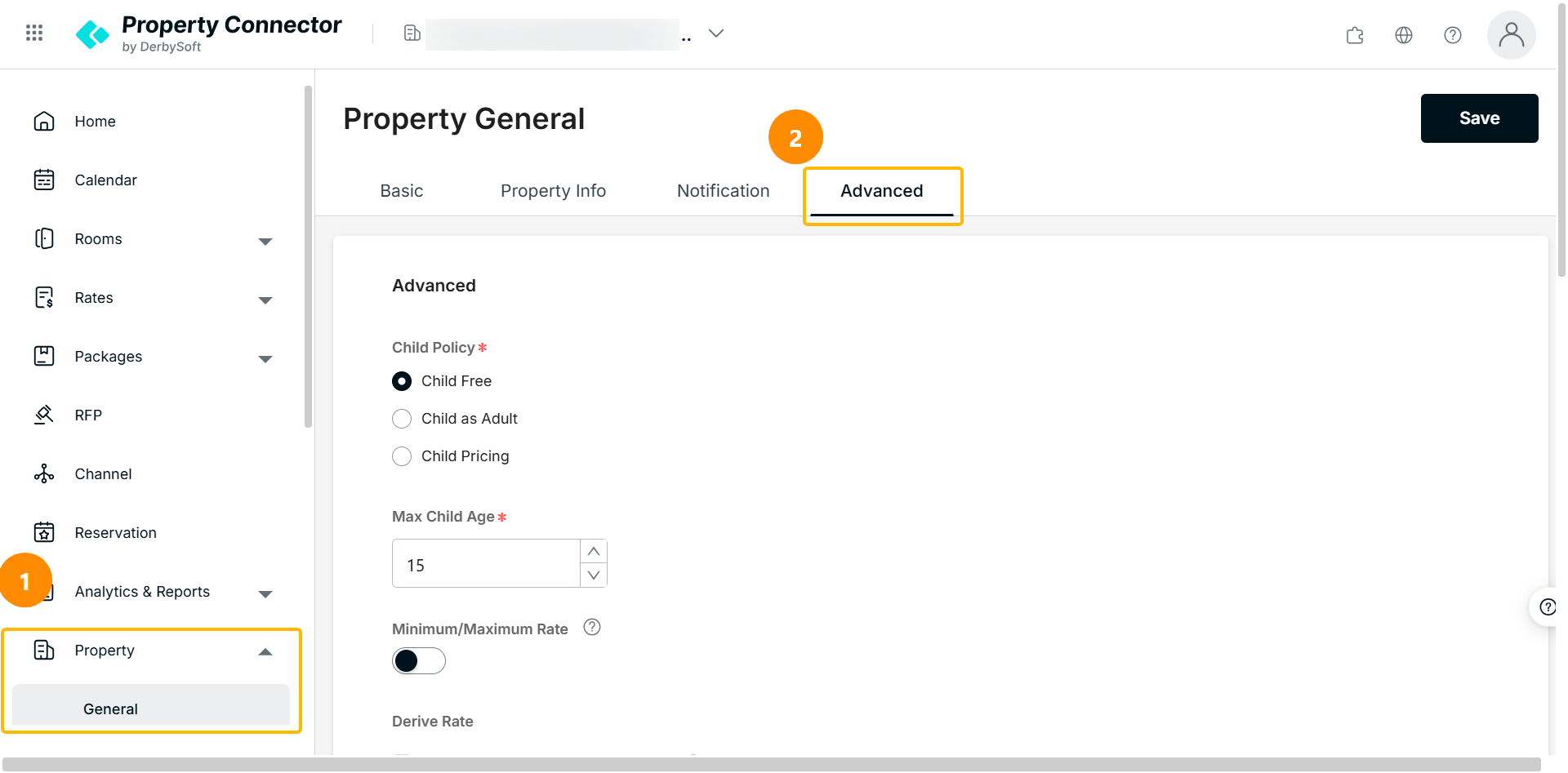
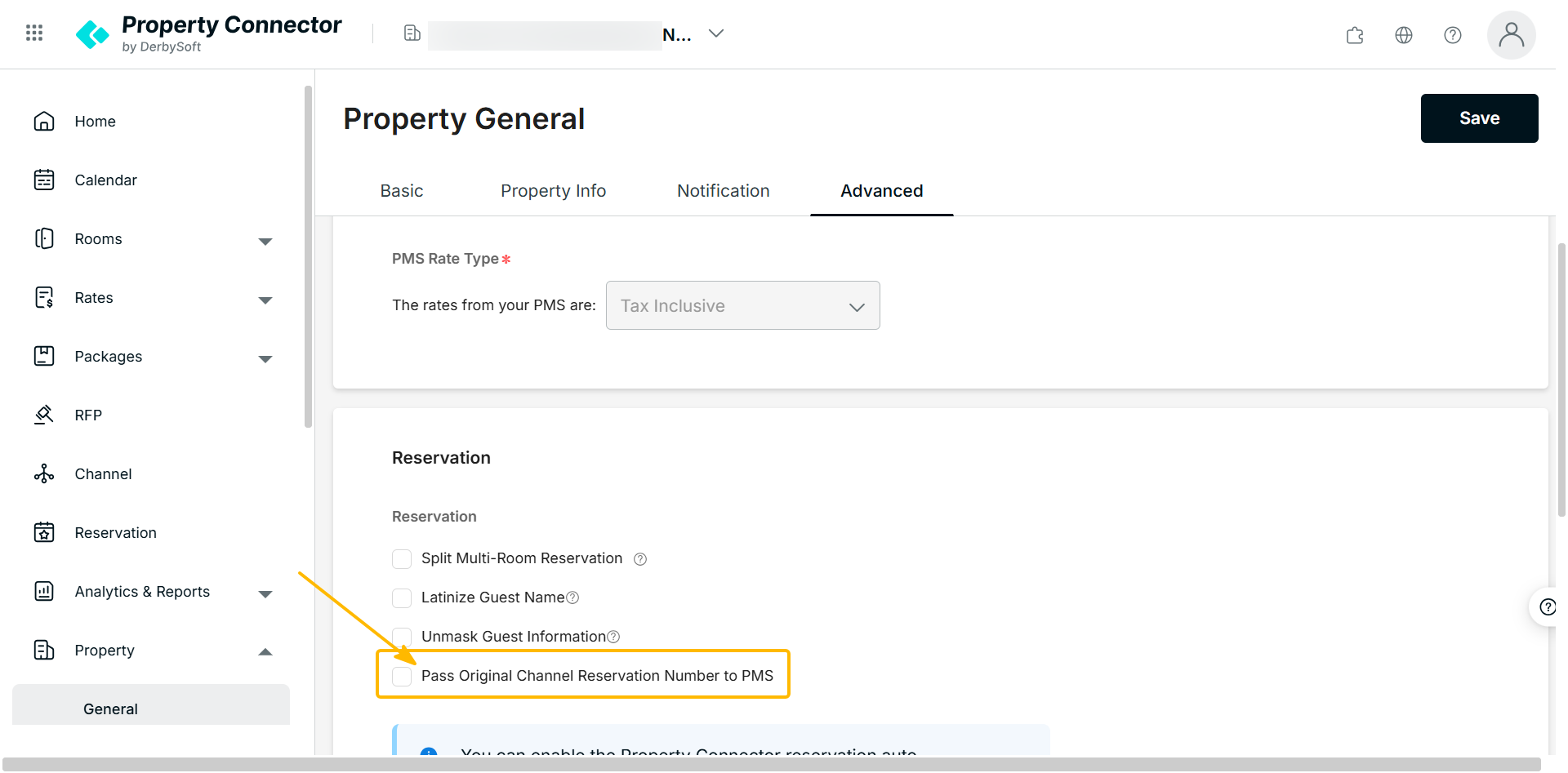
Step 2: Configure the Original Channel Reference Number Toggle
Locate the toggle that controls the transmission of the original channel reservation number. By default, this switch is turned OFF.
- If you turn the switch OFF: The system will send the channel reservation number with an appended suffix (e.g., "id": "2434662610_1") in the reservationsIdList/id field to Opera Cloud Distribution.
- If you turn the switch ON: The system will strip the suffix and send the pure, original channel reservation number (e.g., "id": "2434662610") to Opera Cloud.
Did you find it helpful? Yes No
Send feedbackSorry we couldn't be helpful. Help us improve this article with your feedback.