IDeaS Revenue Solution - Property Connector Calendar
Modified on: 2026-04-24 04:38
As part of our design update, the screenshots are currently being revised.
Once your RMS set up is completed and Property Connector received the successful processed LRV messages from IDeaS, hotel team is able to validate the value in the Property Connector Calendar.
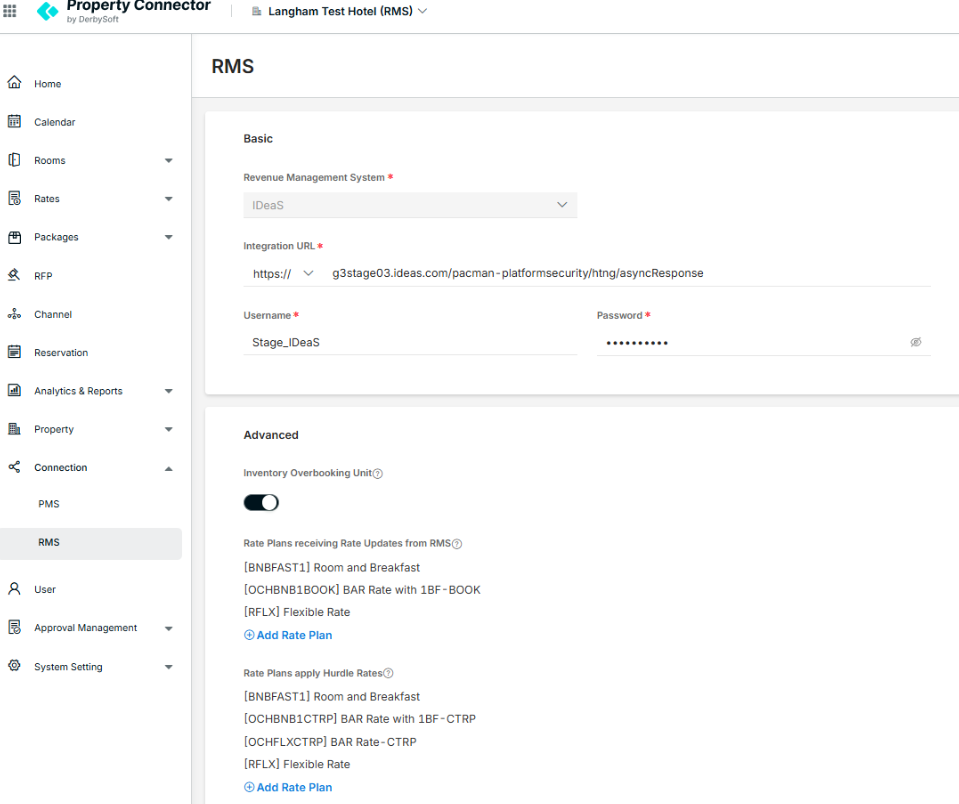
Rates update receive from PMS
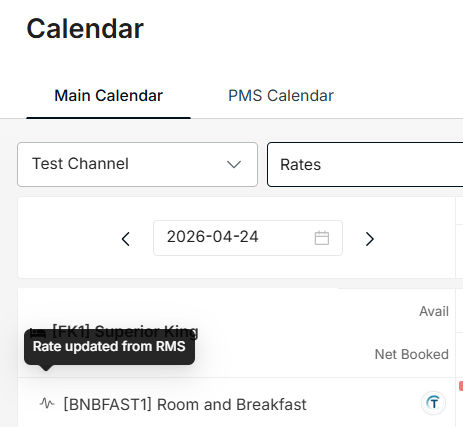
In the Main Calendar, you can see an icon indicating that 'Rate updated from RMS'

Hurdle Rate & Restriction Details
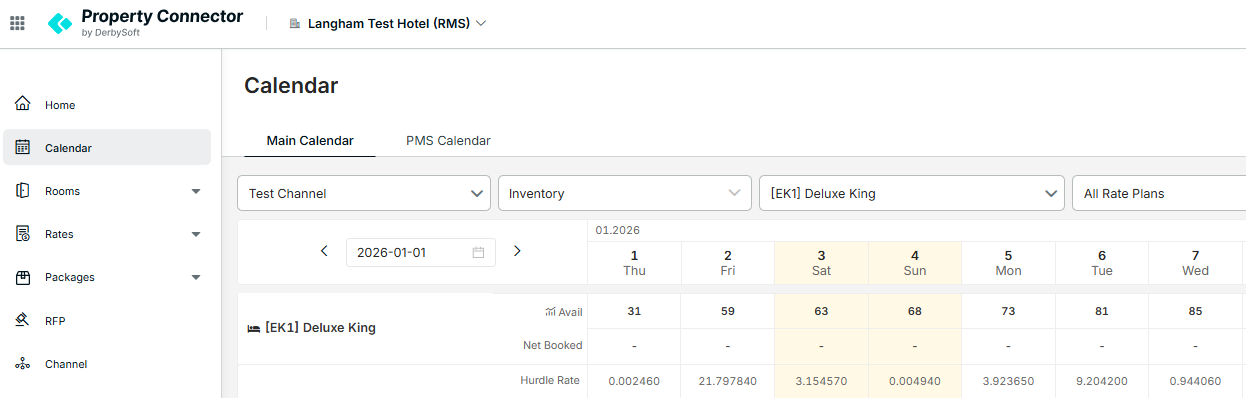
You can view the Hurdle rate in the following paths:
1.) Main Calendar > Inventory > Hurdle Rate
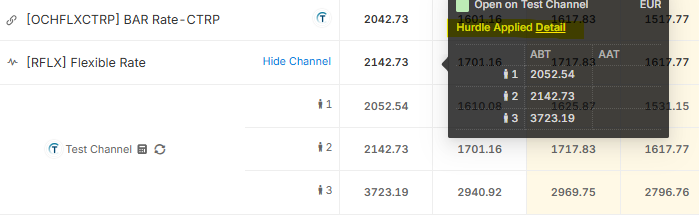
2.) Main Calendar > Rates > Expand the channel icon > Hover the rates > Hurdle Applied
3.) PMS Calendar > Rates, an icon indicating that 'Hurdle Applied'

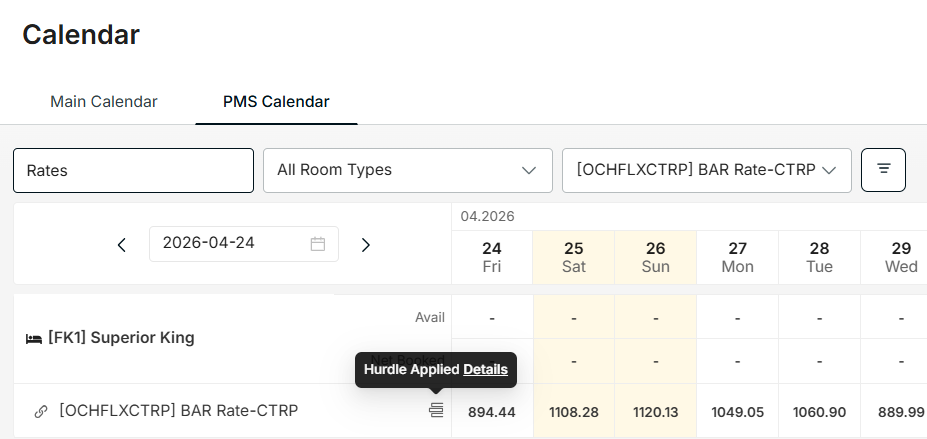
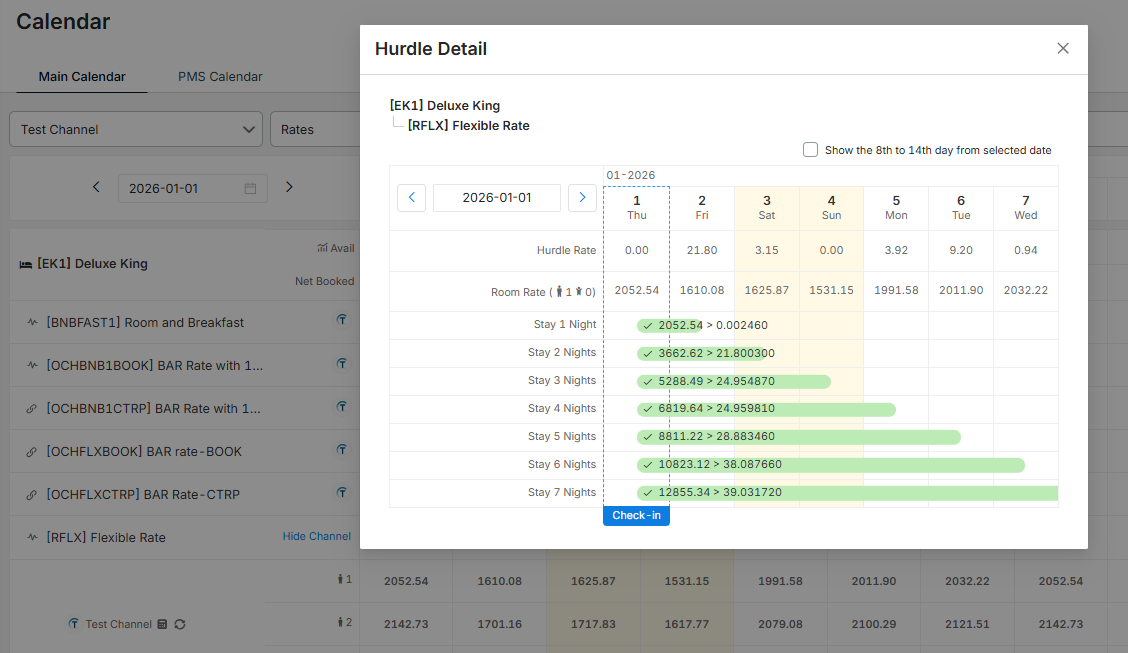
To see the details, click on Details.
This shows you the LOS rate and open/close status if the Hurdle is exceeded.
Data Source Note:
- Property Connector only receives the Hurdle value from IDeaS. We are currently unable to confirm if IDeaS performs any pre-calculations (e.g. LRV+Delta) before sending the value.
- Restriction Support: For restrictions, both Property Connector and IDeaS only support MinLOS (Minimum Stay Arrival) currently.
Did you find it helpful? Yes No
Send feedback