How to Configure the Payment of Direct Bill Sending to Opera Cloud Distribution
Modified on: 2026-04-17 10:57
As part of our design update, the screenshots are currently being revised.
Introduction
Configure the "Direct Bill" toggle to enable advanced routing logic that ensures Direct Bill payment method can be sent to Opera Cloud Distribution.
Prerequisites
- System: Opera Cloud Distribution
- the payment method of "Direct Bill" mapping are enabled
- Access: Permissions to the Property Portal and Channel Settings
Instructions
Step 1. Access the Advance Channel Settings
- Log into the Property Portal.
- Navigate to Channel Setting for your OCD PMS Connection.
- Locate the Direct Bill switch in Extended section.
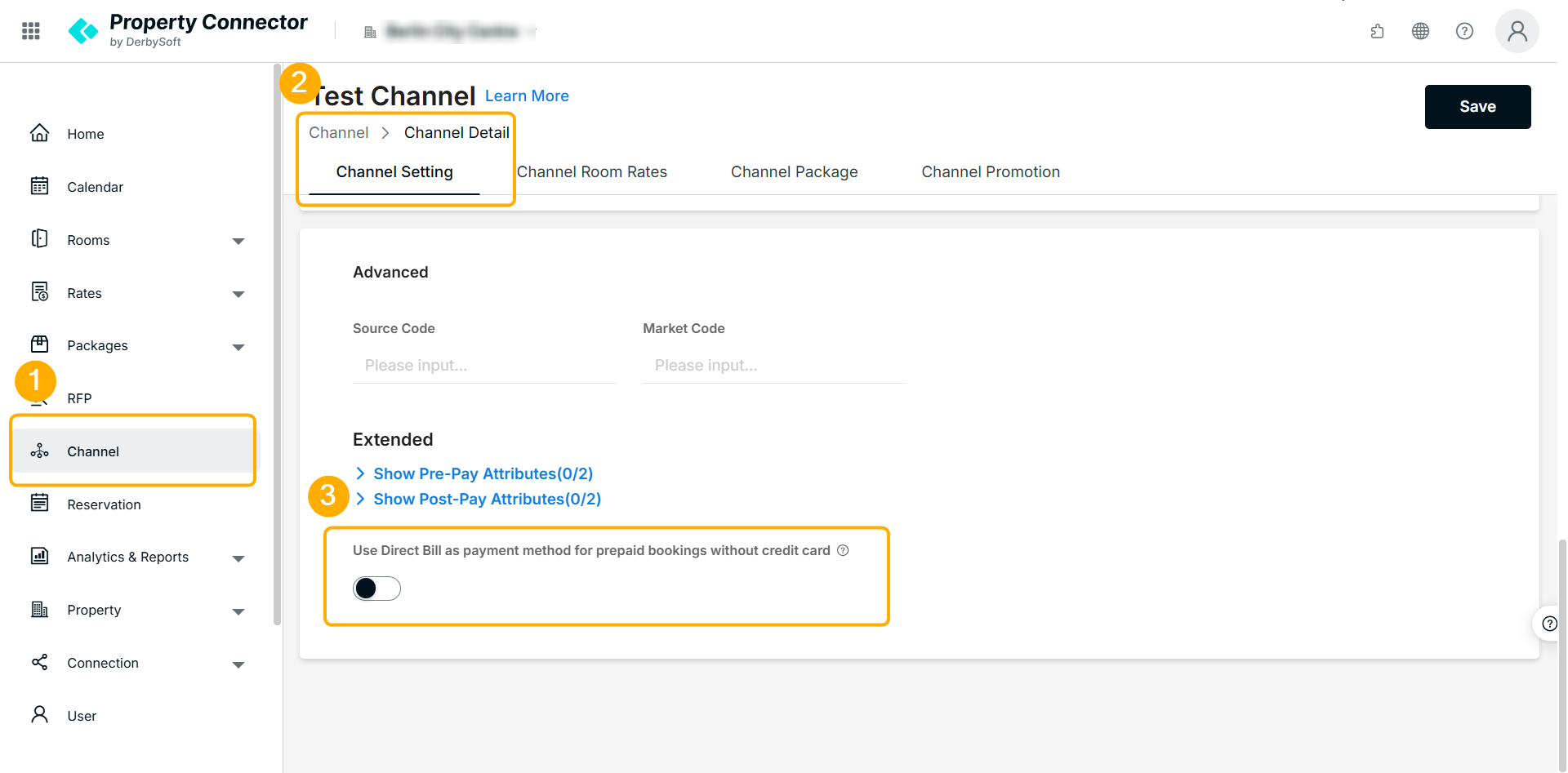
Step 2. Configure the Direct Bill Switch
Locate the Direct Bill switch. This toggle dictates how the system evaluates incoming order data to determine the payment method and folio routing:
- Switch OFF (Original Logic): The system determines the Payment Method (Cash/1 or Credit Card/5) and Folio View based on:
- Guarantee Type.
- Presence of a Credit Card.
- Extension Transaction Information and existing mapping status.
- Switch ON (Upgraded Evaluation Logic): The system determines the Payment Method (Cash/1, Direct Bill/2 or Credit Card/5) and Folio View based on:
- Guarantee Type.
- Presence of a Credit Card.
- Pay Type
- Extension Transaction Information and existing mapping status.
Did you find it helpful? Yes No
Send feedbackSorry we couldn't be helpful. Help us improve this article with your feedback.